 InteriorPro
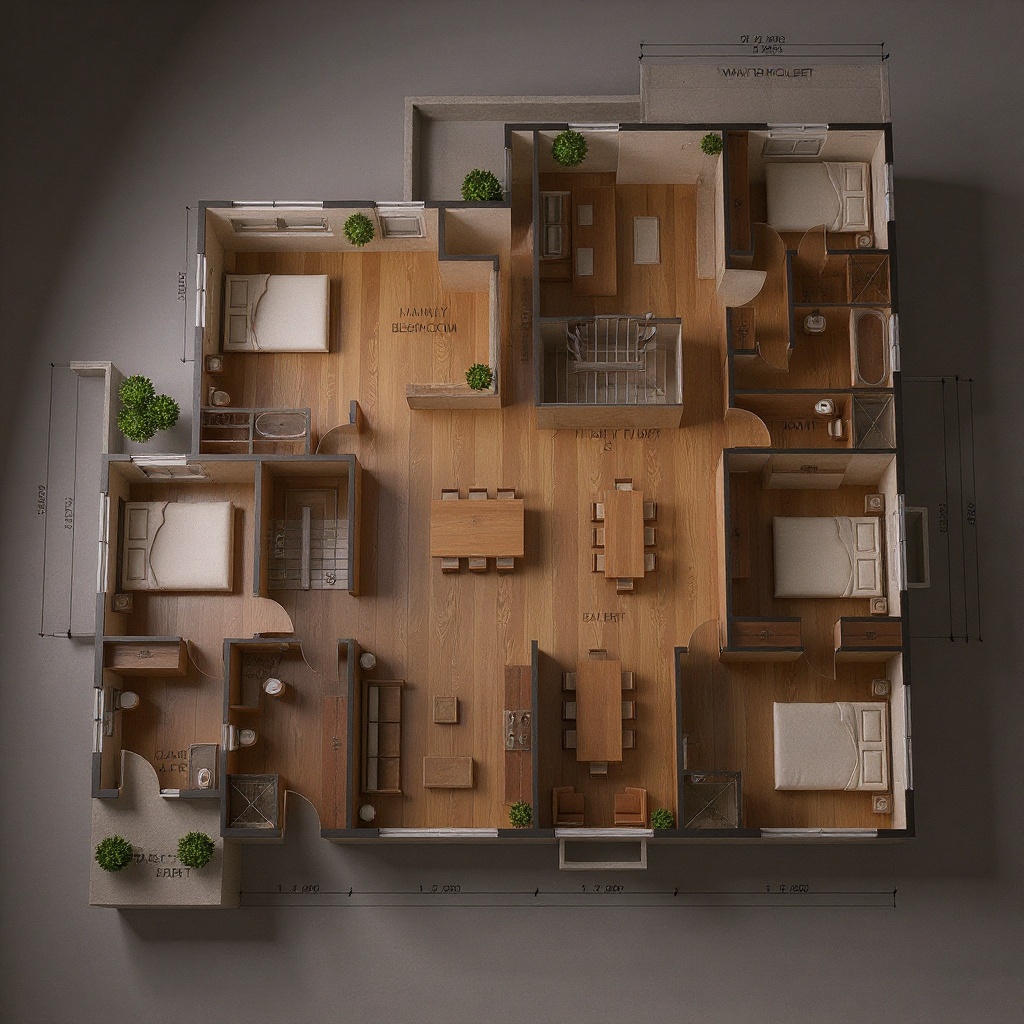
Turn any floor plan into a photorealistic render
Upload a hand-drawn sketch or digital floor plan and see your space come to life in seconds. No 3D software needed.
Try it free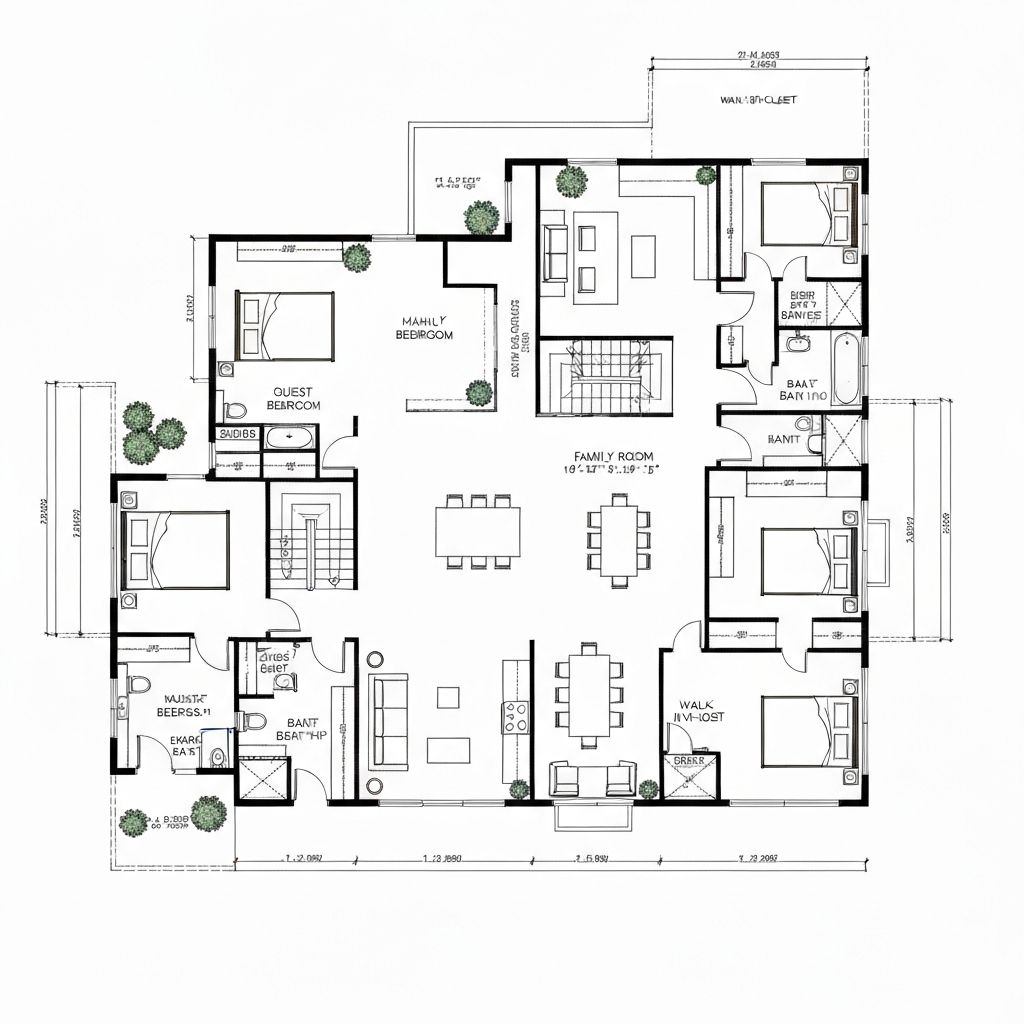
How it works
Three steps to a 3D render
Upload your floor plan
Hand-drawn sketch, PDF screenshot, or digital plan — any 2D floor plan works.
Choose a style
Set the interior style for the render — from minimalist to luxury, across 55 options.
Get your 3D render
Receive a photorealistic visualisation of your space in seconds.
Who it's for
Built for professionals and homeowners
Architects
Rapid client-ready visualisations from early sketches. Turn concept drawings into compelling presentations without waiting for traditional renders.
Property Developers
Visualise units before construction begins. Help buyers see the finished space from nothing more than a floor plan.
Homeowners
See your renovation plans before work begins. Understand how your new layout will look and feel in photorealistic detail.
Features
Why choose InteriorPro
Works with hand-drawn sketches
Not just digital files — snap a photo of a sketch on paper and upload it directly.
Photorealistic renders
Produces true-to-life 3D visualisations, not wireframes or flat diagrams.
55 interior styles
Apply any style — from Scandinavian to Art Deco — to see your floor plan in different aesthetics.
Export in HD
Download high-resolution renders ready for client presentations, pitch decks, or marketing materials.
Pricing
2 credits per render
Floor plan rendering uses 2 credits per generation.
Available on Starter, Pro, and Studio plans.
View pricingFAQ
Frequently asked questions
What types of floor plans does it work with?+
Does it work with hand-drawn sketches?+
How accurate is the 3D render to the floor plan?+
Can I use it for multi-room floor plans?+
What file formats are supported?+
How many credits does a floor plan render use?+
Ready to transform
your space?
Join thousands of homeowners and designers creating stunning interiors with AI.
Start designing